How Many Devices Can You Connect to One VPN Account?
 Sharon
  2026.09.16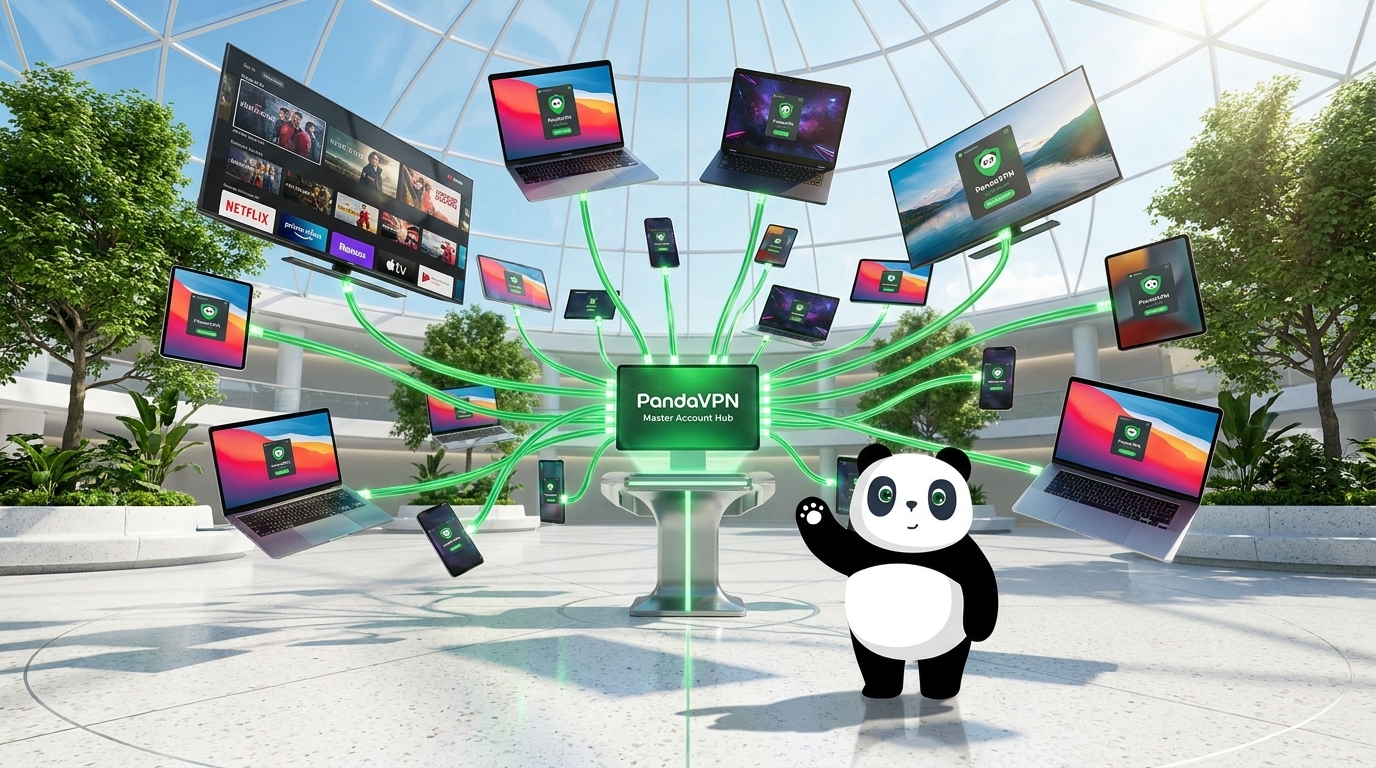
With more devices connected to the internet than ever before, one VPN subscription should be able to protect more than just a single phone or laptop.
You might use a Windows PC for work, an iPhone for everyday browsing, a tablet for entertainment, and a smart TV for streaming. If every device requires a separate VPN account, online privacy quickly becomes expensive and inconvenient.
So, how many devices can you connect to one VPN account?
With PandaVPN, you can connect up to 20 devices simultaneously with a single account, making it easy to secure your personal devices or protect the entire household without purchasing multiple subscriptions.

How Many Devices Can PandaVPN Connect at Once?
PandaVPN supports up to 20 simultaneous device connections under one account.
That means you can protect multiple devices at the same time, whether you are working on a laptop, browsing on your phone, streaming on a TV, or gaming on another device.
Instead of switching between VPN accounts or disconnecting one device to connect another, PandaVPN lets you keep your devices protected simultaneously.
For households with multiple internet-connected devices, this makes one PandaVPN subscription a convenient solution for everyday privacy, streaming, gaming, and browsing.
Does Connecting 20 Devices Slow Down the VPN?
Connecting multiple devices to the same VPN account doesn’t necessarily mean you have to compromise on performance.
PandaVPN is built around a high-performance global network designed to support demanding activities such as HD and 4K streaming, online gaming, video calls, and large downloads.
With 10Gbps ultra-fast servers, optimized routing, and IPLC connections, PandaVPN is designed to provide fast and stable connections even when multiple devices are using the VPN.
Its network optimization technology helps reduce unnecessary routing delays, while dedicated routes can provide a more consistent connection for latency-sensitive activities such as online gaming and video streaming.
Built for Streaming, Gaming, and Everyday Browsing
A multi-device VPN needs to do more than simply establish an encrypted connection.
With PandaVPN, different devices can be used for different activities at the same time.
For example, one family member can stream content on an Apple TV while another browses the web on an iPhone and someone else plays an online game on a Windows PC.
PandaVPN supports optimized connections for popular streaming and gaming scenarios, helping users enjoy a smoother experience across multiple screens.
For gamers, optimized routes and dedicated gaming nodes can help reduce latency and improve connection stability. For streaming, optimized network routes are designed to provide a smoother viewing experience.
Advanced Encryption for Every Connected Device
When multiple devices are connected to the internet, protecting your personal data becomes even more important.
PandaVPN uses advanced encryption technologies to help protect sensitive information as it travels between your device and the VPN server.
This can be particularly useful when connecting to public or unsecured Wi-Fi networks in places such as airports, hotels, cafés, and coworking spaces.
Your online traffic is routed through the VPN connection, helping reduce the risk of third parties monitoring your connection or intercepting unprotected network traffic.
Protect Your Privacy With a No-Logs Approach
A VPN should not simply replace your ISP as another company that can monitor your online activity.
PandaVPN follows a strict no-logs policy, designed to protect your privacy by not tracking or storing your browsing history and connection activity.
Combined with encrypted VPN connections and IP address masking, PandaVPN provides an additional layer of privacy for everyday internet use across your connected devices.
One Account for Your Entire Digital Life
The biggest advantage of supporting multiple simultaneous connections is convenience.
You don’t need one VPN subscription for your laptop, another for your phone, and another for your smart TV.
With up to 20 simultaneous connections, one PandaVPN account can cover a wide range of devices in your digital ecosystem.
For example:
Work:
Connect your Windows or Mac computer and protect your connection while working remotely.
Mobile browsing:
Keep your iPhone or Android device connected when using public Wi-Fi.
Entertainment:
Use PandaVPN on Apple TV or Android TV for a more private streaming experience.
Gaming:
Connect your gaming setup to optimized VPN routes designed for lower-latency connections.
Family devices:
Protect multiple phones, tablets, computers, and supported TVs under the same account.
Why Choose PandaVPN for Multiple Devices?
When choosing a VPN for multiple devices, the number of simultaneous connections is only one part of the equation. Network performance, platform compatibility, privacy protection, and server coverage all matter.
PandaVPN combines:
- Up to 20 simultaneous connections
- 6,000+ servers across 100 countries
- 203 global server locations
- 10Gbps ultra-fast servers
- IPLC optimized connections
- WireGuard and OpenVPN support
- Split tunneling
- Kill Switch protection
- Advanced encryption
- Strict no-logs policy
- Windows, macOS, iOS, Android, Linux, Apple TV, and Android TV support
This combination makes PandaVPN suitable for users who need VPN protection across multiple personal and household devices.
Connect More Devices With One PandaVPN Account
So, how many devices can you connect to one VPN account?
With PandaVPN, the answer is up to 20 devices simultaneously.
Whether you need a VPN for your computer and phone or want to protect an entire household filled with connected devices, PandaVPN gives you the flexibility to use one account across multiple platforms.
With a global network, high-speed servers, optimized routing, advanced encryption, and support for multiple devices, PandaVPN makes it simple to stay connected, private, and protected—wherever you go.

Related Posts



Featured Posts